Twitch streaming has become one of the most popular ways to share live content online. Gamers, educators, podcasters, and creators use Twitch to connect with audiences in real time. But live streams do not end when the broadcast stops. One smart way to increase the value of Twitch content is by transcribing live broadcasts. This is where voice to text technology plays an important role.
Transcribing Twitch streams helps creators save content, reach more people, and improve SEO. In this article, we will explain what Twitch transcription is, why it matters, and how voice to text can help you grow your channel and online presence.
What Is Twitch Stream Transcription?
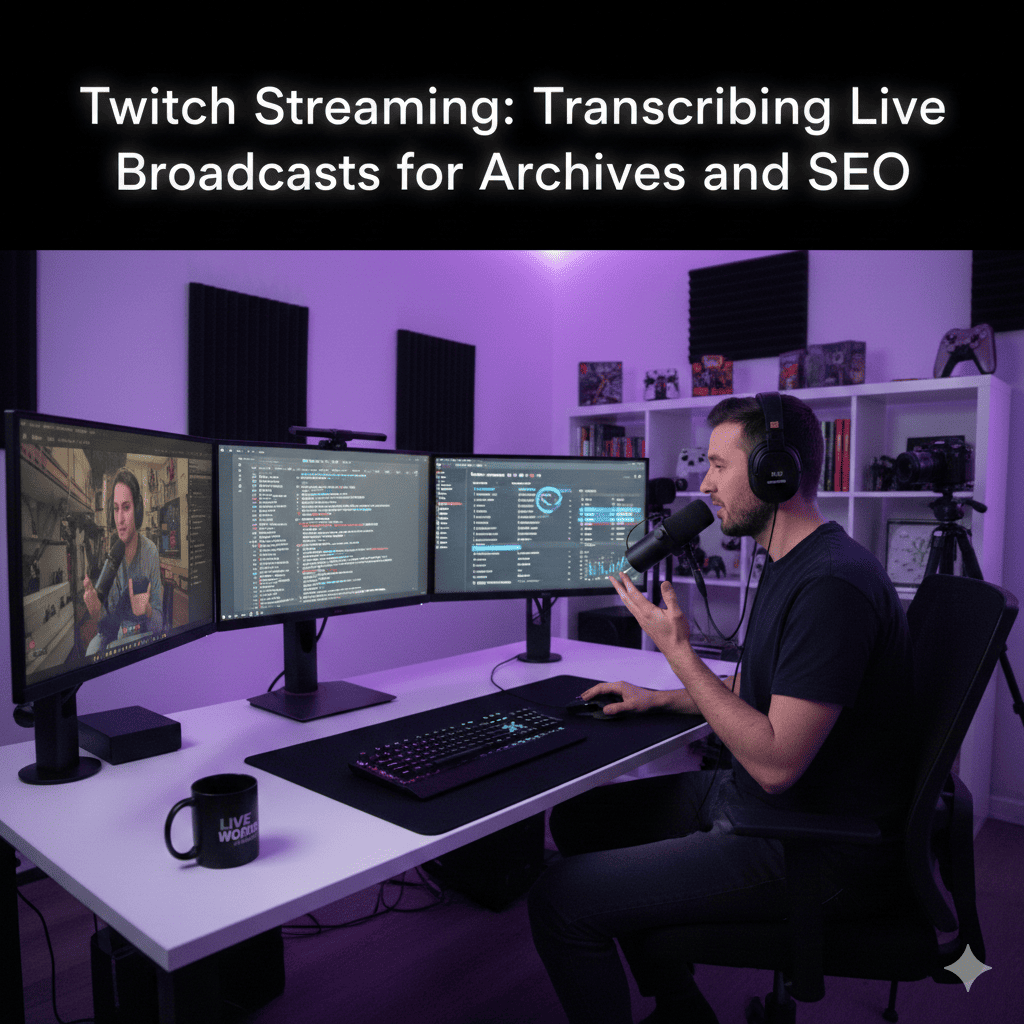
Twitch stream transcription means converting spoken words from a live broadcast into written text. This can be done during the live stream or after the stream ends. The text version of your content can be used as subtitles, blog posts, summaries, or searchable archives.
With modern voice to text tools, transcription has become faster and easier. These tools listen to audio and turn it into readable text with good accuracy. This makes it simple for creators to reuse their Twitch content in many useful ways.
Why Transcribing Twitch Streams Is Important
Many Twitch creators focus only on live viewers. But a large audience searches for content after the stream ends. Transcribing your streams helps you reach those users.
Here are some key reasons why transcription is important:
1. Better Content Accessibility
Not everyone can watch or listen to a live stream. Some people prefer reading. Others may have hearing problems or language challenges. Transcripts make your content accessible to everyone.
Using voice to text ensures your spoken content is available in text form, helping more people understand and enjoy your streams.
2. Easy Content Archives
Live streams are long and full of valuable information. Without transcripts, it is hard to find specific parts later. When you transcribe your Twitch broadcasts, you create a clear record of everything said.
This makes it easy to search old content, reuse ideas, or reference past discussions.
3. Improved SEO Performance
Search engines cannot understand audio or video very well. They depend on text. When you add transcripts to your Twitch content, search engines can read and index your words.
Using voice to text helps turn spoken content into SEO-friendly text. This improves keyword ranking, website traffic, and content visibility.
How Voice to Text Helps Twitch Streamers
Voice to text technology is the core tool behind Twitch transcription. It uses speech recognition to convert audio into text automatically.
Here is how voice to text benefits Twitch streamers:
Fast and Time-Saving
Manual transcription takes hours. Voice to text tools can transcribe long streams in minutes. This saves time and effort, especially for daily or weekly streamers.
Cost-Effective Solution
Hiring human transcribers can be expensive. Voice to text software offers a budget-friendly option, especially for small creators and new streamers.
How to Make Money With AI: Best ways to make money using Ai for Beginners and Pros
Real-Time and Post-Stream Options
Some voice to text tools work in real time, creating live captions during your Twitch stream. Others work after the broadcast, allowing you to edit and polish the text.
Using Transcripts for SEO Growth
Transcribing Twitch streams is not just about saving content. It is also a powerful SEO strategy.
Create Blog Posts from Streams
You can turn your Twitch transcript into a full blog article. Just clean up the text, add headings, and include keywords like voice to text naturally.
This helps you rank for search terms related to your stream topic.
Add Keywords Naturally
When you speak during a stream, you use natural language. Transcribing it gives you real, human content. You can then optimize it by adding SEO keywords without overdoing it.
Search engines prefer content that sounds natural and useful.
Increase Website Traffic
Posting transcripts on your website brings in organic traffic. People searching for answers may find your text content and then discover your Twitch channel.
This creates a strong connection between live streaming and long-term growth.
Best Practices for Twitch Transcription
To get the best results from voice to text, follow these simple tips:
Speak Clearly During Streams
Clear speech improves transcription accuracy. Try to avoid talking too fast or speaking over others.
Review and Edit Transcripts
Even good voice to text tools can make mistakes. Always review the text and fix small errors before publishing.
Use Simple Language
Easy words help both readers and search engines. Simple content performs better for SEO and user experience.
Organize the Content
Break transcripts into sections. Add headings, bullet points, and short paragraphs. This makes the content easier to read.
Voice to Text for Long-Term Content Strategy
Twitch streams are often forgotten after they end. But transcription gives them a longer life.
With voice to text, one stream can become:
-
Blog articles
-
Social media posts
-
Email newsletters
-
Video captions
-
Searchable archives
This helps creators work smarter, not harder.
Final Thoughts
Twitch streaming is powerful, but live content alone is not enough for long-term success. Transcribing live broadcasts using voice to text helps creators save content, improve SEO, and reach a wider audience.
It makes your streams accessible, searchable, and reusable. Whether you are a beginner or an experienced streamer, using voice to text for Twitch transcription is a smart and practical choice.
If you want your Twitch content to work for you even after the stream ends, start using voice to text today. It is simple, effective, and essential for modern content growth.